
Free Tier Construction Management Software Launch for Small GCs
A practical launch guide for turning a free AI construction management tier into real adoption, from positioning and onboarding to analytics, trust, and upgrade triggers.

Summary
Key Takeaways
- 1A free tier works best when it solves one painful construction workflow immediately, not when it feels like a limited demo.
- 2Small GCs need proof of value in the first 10 minutes: project setup, one uploaded document, or one AI-built field form.
- 3Activation analytics should track behavior, not vanity sign-ups.
- 4Upgrade prompts should appear at natural moments of value, such as file growth, team expansion, or advanced approvals.
- 5Trust, mobile usability, and fast support matter as much as the headline offer.
Launching a free tier for construction management software is not just a pricing decision. It is a product, positioning, onboarding, support, and trust decision wrapped into one public promise. If the offer feels like a thin trial, small general contractors will ignore it. If it gives them a real first win, they will use it on a live project and begin to trust the platform.
The pasted launch guide outlines a complete go-to-market system for Space AI's free tool at pmspace.ai/try-it-now. The strongest theme is simple: small and mid-size construction teams do not need another abstract software pitch. They need a practical way to escape spreadsheets, email threads, scattered RFIs, inconsistent forms, and expensive enterprise tools.
This blog turns that launch guide into a publishable plan for building and promoting a free AI construction management tier that can create real adoption.
Start with One AEC Persona
A free tier should not be designed for "everyone in construction." That is too broad to shape product decisions. Start with one clear user.
The guide's sample persona is Marcus T., a project manager at a 25-person general contractor in Texas. He uses Excel, email, and messaging apps. He loses hours chasing RFI status. Subcontractors submit documents in different formats. He evaluates tools by trying the free version first, and he needs mobile usability because work happens in the field.
That persona is useful because it forces concrete decisions:
- The first screen should help create a project quickly.
- The product should not require a long sales call before use.
- Field users should be able to submit forms without account friction.
- Mobile workflows should be tested before launch, not after complaints arrive.
- The free tier should solve messy project coordination, not just show a polished dashboard.
If the free tier is built around a real construction project manager's day, the marketing becomes sharper too. The promise is no longer "try our platform." It becomes "stop losing RFIs in email and run your first project in one place."
Make the Free Tier Sound Valuable, Not Reduced
Many free plans accidentally describe what users do not get. That weakens the offer before anyone signs up. The launch guide gets this right: remove words like "limited" or "basic" and replace them with what the free tier includes.
Strong free-tier headlines speak to immediate value:
- Manage your first project for free.
- AI-powered construction management, free to start.
- Stop managing construction in spreadsheets.
- Your whole project in one place for small teams.
- A Procore alternative that costs nothing to start.
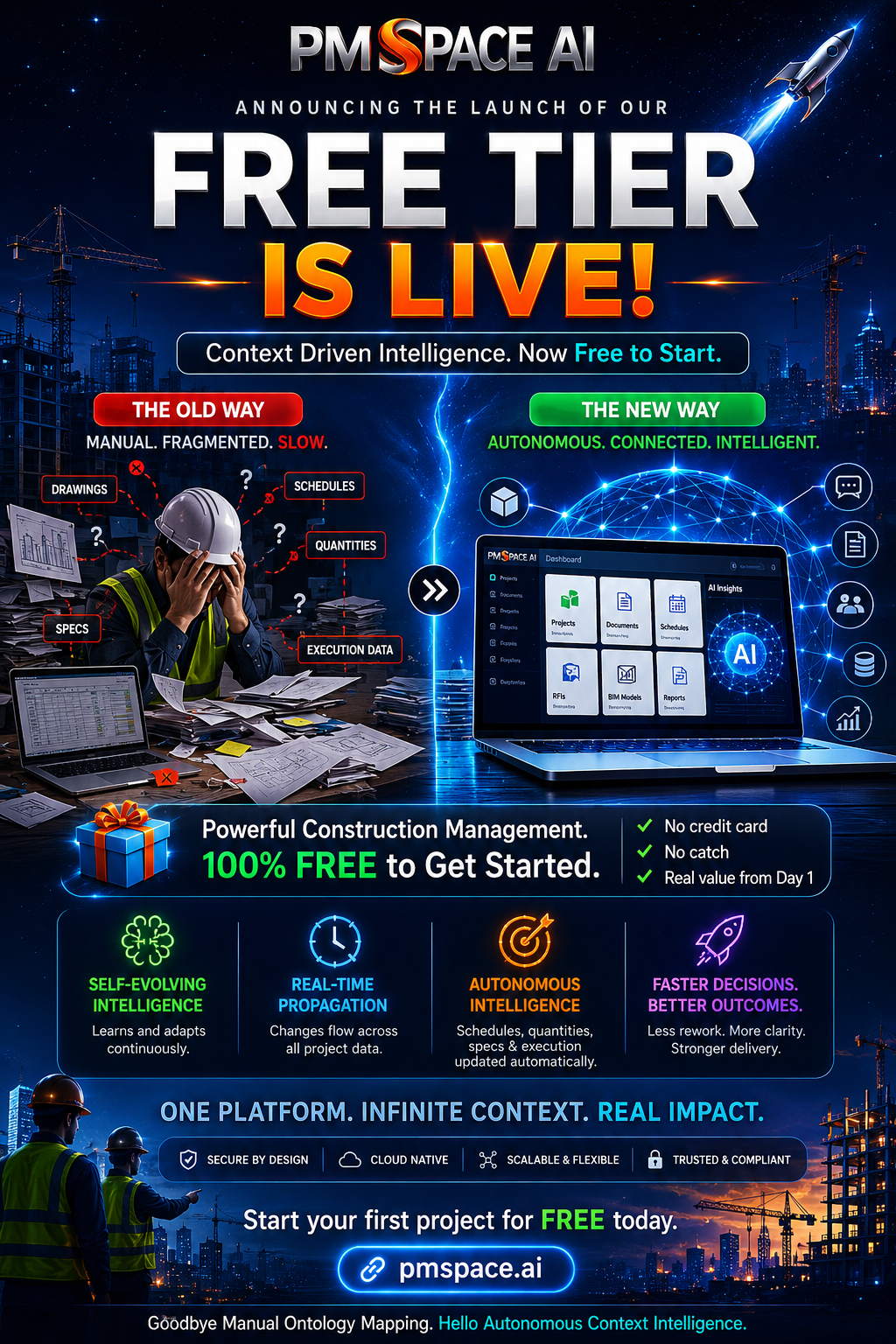
The provided image reinforces that message with a bold "Free Tier Is Live" campaign. It highlights the practical reasons a small GC might care: no credit card, core features included, projects, file storage, AI forms, team members, e-signatures, and support. The best version of this message should be clear, specific, and believable.
Avoid vague claims like "revolutionary platform." A project manager wants to know what happens after sign-up. Can they create a project? Upload contracts? Track RFIs? Build a field form? Invite a teammate? If the answer is yes, say that plainly.
Build the First 10 Minutes Around Activation
The first user session matters more than the pricing page. A free tier succeeds when the user experiences momentum quickly.
The guide's onboarding flow suggests a simple path:
- Create the first project.
- Upload one document, such as a contract, RFI, or submittal.
- Use the AI form builder to create a daily report or inspection form.
That sequence is strong because it moves from account creation to project memory. The user is not just looking around. They are building a small but real system of record.
| Step | User action | Why it matters |
|---|---|---|
| Create a project | Name the job and basic details | Makes the workspace real |
| Upload a document | Add a contract, drawing, RFI log, or submittal | Creates useful project context |
| Build a form | Use AI to draft a daily report or safety checklist | Shows immediate workflow value |
| Invite a teammate | Bring in PM, superintendent, or owner rep | Tests collaboration |
| Submit one update | Capture real project data | Proves the system can be used in the field |
Do not overload the first session. The free tier should not ask users to configure every company setting before seeing value. Let them complete one meaningful workflow, then deepen the setup.
Instrument the Funnel Before Launch
Free sign-ups are not the same as adoption. A launch can generate traffic, accounts, and curiosity without creating durable usage. That is why the guide emphasizes activation analytics.
Track the events that prove users are doing real work:
| Event | What it means |
|---|---|
| user_signed_up | The launch message produced intent |
| project_created | The user began setup |
| file_uploaded | The user trusted the system with project context |
| form_created | The user tried the AI workflow |
| team_member_invited | The product entered team collaboration |
| upgrade_clicked | The user reached a commercial intent point |
The most important metric is not total sign-ups. It is the percentage of users who complete the first meaningful project workflow. For a construction product, that might mean project created plus document uploaded plus form created.
If users sign up but do not create a project, the first screen is likely unclear. If they create a project but do not upload anything, the product may not make the next action obvious. If they build a form but never submit one, the field experience may have friction.
Design Upgrade Triggers Around Value Moments
A free tier should not punish users for succeeding. It should introduce paid plans when the user's behavior shows they are getting real value and need more capacity.
The launch guide identifies three strong upgrade moments:
- File cap reached.
- Team member limit reached.
- E-signature or advanced approval need.
These are better than random "upgrade now" banners because they are connected to context. If a user has uploaded several project files, the message can say: you are making progress, and the Pro plan gives you more room. If a user invites more teammates, the message can focus on team collaboration. If a user requests e-signatures, the prompt can explain approval workflows.
Good upgrade copy should acknowledge the work already happening:
"You have uploaded your first project documents and centralized active RFIs. When you are ready to manage more records, Pro gives you unlimited files, unlimited forms, and priority support."
That tone is very different from blocking the user with generic monetization language. The free tier builds trust. The upgrade path expands the workspace when the user is ready.
Prove Trust in Plain English
Construction teams handle contracts, drawings, change records, financial context, project photos, safety documentation, and sometimes sensitive owner data. A free tier does not remove the need for trust. In some ways, it increases the need, because users may wonder how the company can offer value for free.
The launch guide recommends a plain-English security page covering:
- Where files live.
- Encryption at rest and in transit.
- Who can access project data.
- Backup frequency.
- Export and deletion rights.
- Compliance posture.
- Security contact details.
This matters for small GCs too. They may not have a formal procurement team, but they still need confidence that their project documents are not being treated casually.
Make Mobile Field Use Non-Negotiable
A construction free tier that works only on desktop is not ready. The guide calls out mobile testing for sign-up, dashboard load, camera upload, form submission, document preview, offline messaging, tap target size, and horizontal scroll.
That checklist is not cosmetic. If the superintendent cannot submit a daily report from the job site, the product will not become part of the team's routine. If photo upload fails, the form builder loses practical value. If the dashboard is slow on a field connection, users go back to texting photos and notes.
Before launch, test the free-tier workflow on common devices and weak connections:
- Sign up on mobile.
- Create or open a project.
- Upload a photo or document.
- Submit a form.
- Review a document.
- Invite or share with another user.
The field experience is where a construction platform earns trust.
Seed a Demo for Skeptical Buyers
Small GCs may not want to create an account just to understand the product. A seeded demo project lowers friction.
The guide's demo example, Riverside Office Renovation, is a strong pattern. It includes project value, status, team members, RFIs, submittals, daily reports, safety checks, and cost summary. That makes the product feel concrete.
A demo should show the user what they can do, not just what the interface looks like:
- Open RFIs with status.
- Submitted daily reports.
- A document list with real-looking categories.
- A safety checklist.
- Cost or progress summary.
- A visible "Demo Mode" label so users know they are safe to explore.
The demo does not replace the free tier. It helps users understand the product before they commit even a small amount of time.
Prepare Launch Channels with Different Angles
The launch guide includes Product Hunt, LinkedIn, Reddit, Hacker News, influencer outreach, directory submissions, and cold outreach. The important lesson is not "post everywhere." It is to match the angle to the channel.
For LinkedIn, the strongest angle is the founder story: construction teams are stuck with email, Excel, and expensive enterprise software. Space AI gives small GCs a serious alternative.
For Reddit, lead with honest feedback: "I built a free construction management tool and want construction people to critique it." Avoid sounding like a polished ad.
For Hacker News, explain the technical and market problem: construction has complex workflows, but small GC shops are underserved by enterprise software.
For Product Hunt, prepare assets, screenshots, a concise tagline, maker comment, and a confirmed support plan for launch day.
Run the First 72 Hours Like Operations, Not Marketing
The guide's launch-day war room section is important. A free tier can create sudden traffic, questions, support requests, bugs, and skepticism. Treat launch as an operating event.
Assign owners for:
- LinkedIn comments and messages.
- Product Hunt comments.
- Support email.
- Community channels.
- X mentions.
- Bug triage.
- Production deploys.
Define severity before launch:
| Severity | Examples | Response expectation |
|---|---|---|
| P1 | Sign-up broken, login broken, dashboard blank, data loss | Immediate escalation |
| P2 | Upload failures, verification delays, mobile layout broken | Same-day fix plan |
| P3 | Minor UI issues, copy errors, edge cases | Queue and resolve |
This structure keeps the team calm. A launch is exciting, but the user's first impression depends on response quality.
Measure Week-One Activation
By the end of week one, the launch question should change from "how many signed up?" to "how many activated?"
Useful week-one metrics include:
- Total sign-ups.
- Percentage who created a project.
- Percentage who uploaded a file.
- Percentage who built a form.
- Percentage who invited a team member.
- Support tickets filed.
- Upgrade clicks.
If activation is below target, inspect the highest drop-off step. Do not guess. Watch session recordings if available, review support tickets, and talk to users. A failed activation step usually points to a specific product or messaging issue.
Publish the Honest Learnings Post
The launch does not end after launch day. The guide recommends a 30-day launch learnings post with expected results, actual results, what broke, what users requested, and what is coming next.
That kind of transparency builds trust, especially in a market used to polished vendor claims. A good learnings post might include:
- What the team expected users to do first.
- What users actually did first.
- Which feature generated the most interest.
- What broke in the first 72 hours.
- What feedback changed the roadmap.
- Which free-tier promises are staying in place.
For Space AI, a strong follow-up angle is that the free tier is not a temporary gimmick. It is an adoption strategy for construction teams that need to experience the workflow before they trust a platform with live project records.
Final Checklist for a Strong Free Tier Launch
Before publishing the free tier, confirm the basics:
- One primary AEC persona is defined.
- The landing page states what is included, not just what is restricted.
- The first 10 minutes lead to a real project action.
- Critical analytics events are live.
- Mobile form and file workflows have been tested.
- Upgrade triggers are tied to value moments.
- A security page explains data handling in plain English.
- A demo project is available for skeptical users.
- Launch channel copy is tailored by platform.
- Support and bug ownership are assigned.
- Week-one activation targets are clear.
The best free tier is not a discount. It is a trust-building product experience. For small GCs, that means showing immediate control over RFIs, documents, field forms, and collaboration without forcing them into enterprise pricing before they see value.